User guidePauses and dose changes
Pauses and dose changes
Two things change in real life: you are told to stop for a while, or the dose goes up or down. DoseDoodle can record both, and your reports show them.
Pause a medicine
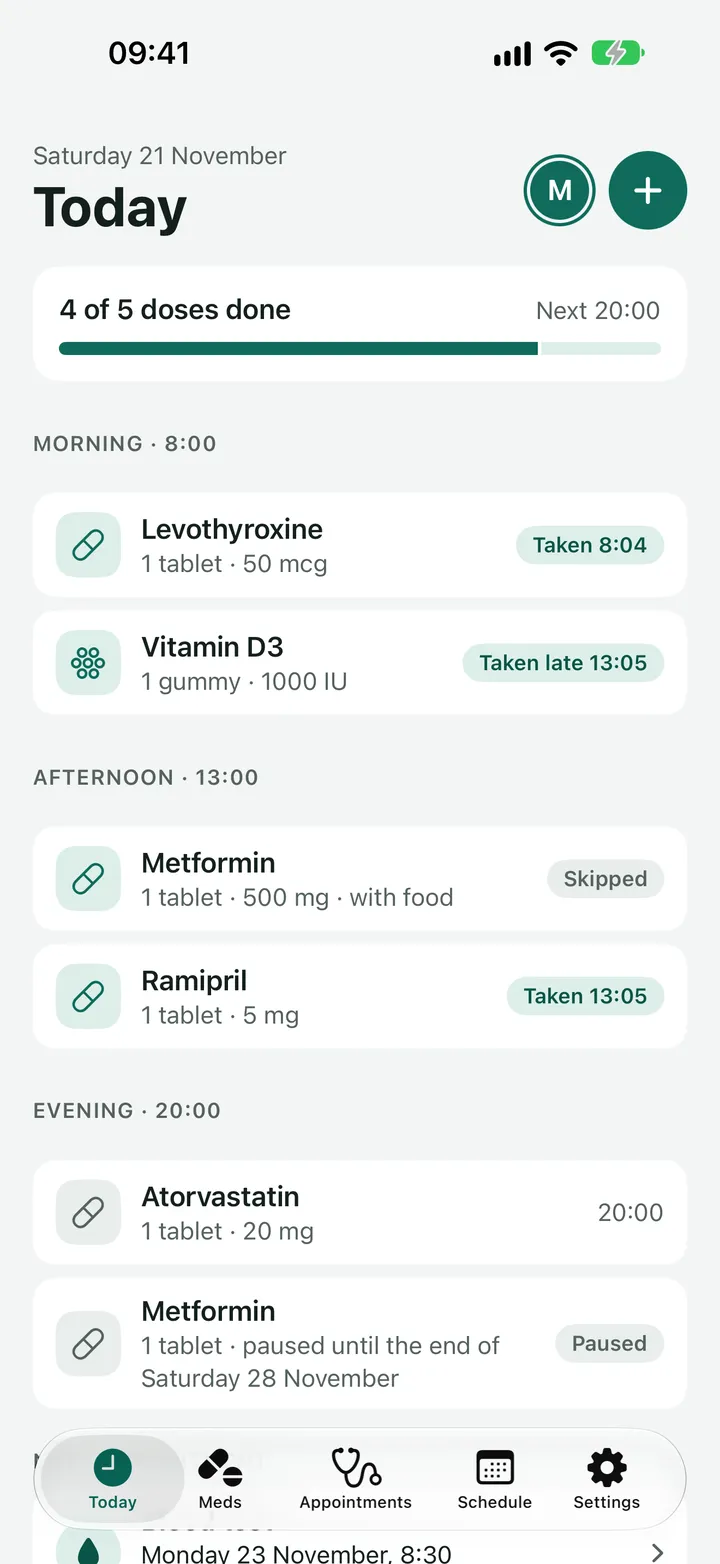
While a medicine is paused there are no reminders for it, and nothing counts as missed. It stays on Today and the Schedule, marked Paused.
A pause is started from the Skip screen, because it is usually something you decide when a dose is due.
-
Tap Skip on a dose of that medicine.
From a reminder, use its Skip button. From Today or the Schedule, tap Skip on the dose.
-
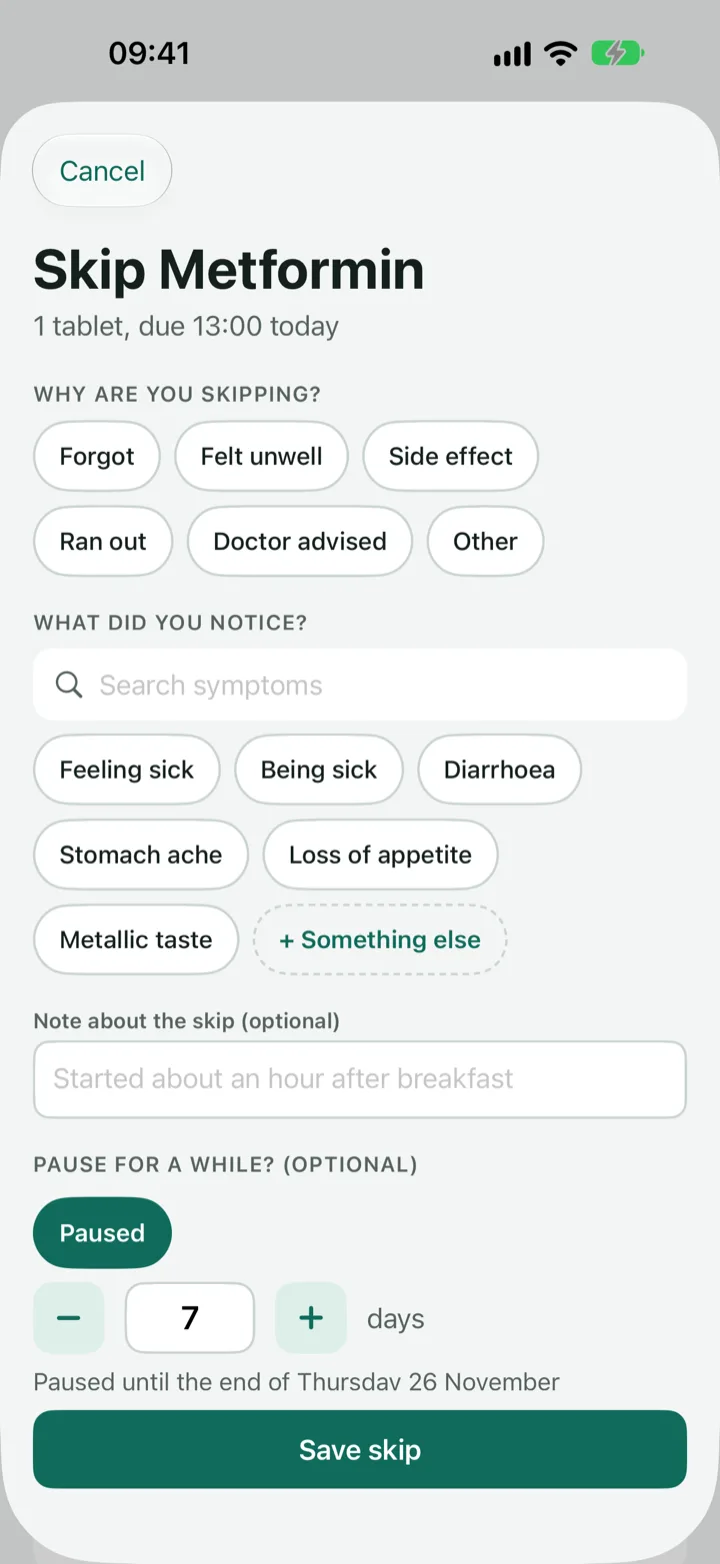
Scroll to "Pause for a while?" and tap Pause.
If you are skipping several medicines at once, each has its own button, so only the one that is bothering you is paused.
-
Set the number of days.
It starts at 7. Use the plus and minus buttons or type a number, up to 365. The line underneath says when it ends, such as "Paused until the end of Friday 28 November".
-
Say why, if you want to (optional).
Choose a reason and add a note, for example "Stop for 4 weeks, then a blood test". This goes in your reports, so your doctor can see when and why it was paused.
-
Tap Save skip.
The pause starts now. The dose you skipped stays skipped, and the rest of today is paused too.
If you tap Undo in the bar straight afterwards, the skip is undone and the pause is cancelled with it.
Resume a medicine
A paused medicine starts again by itself on the day after the pause ends. To start it sooner:
-
Open the Meds tab and tap the medicine.
It has a Paused label in the list. At the top of its page you see when the pause ends, and why if you said.
-
Tap Resume now.
Reminders come back from today.
Pauses are kept as history. They show in the detailed report, and days inside a pause are not counted as doses you did not log.
Change the dose
Use this when you are told to take a different amount, or a different number of times a day. Days before the change keep the old dose in your Schedule and reports, so your history stays true.
-
Open the Meds tab, tap the medicine and tap Change dose.
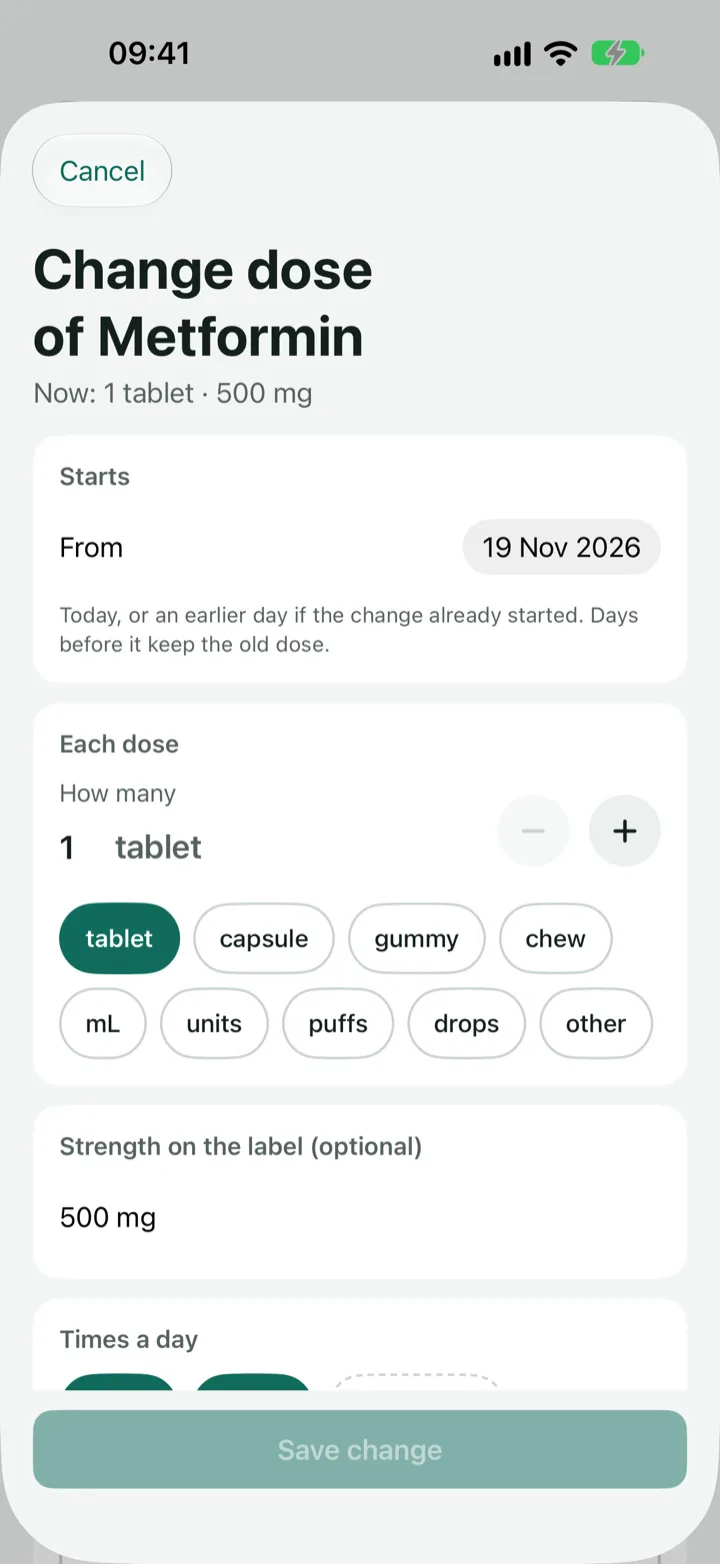
The top of the screen shows what the dose is now.
-
Choose when it starts.
Under Starts, today is already chosen. Pick an earlier day if the change has already begun. You cannot choose a future day.
-
Set the new dose.
Change How many or the unit, and the Strength on the label if it has changed. To take it more or less often, add or remove a time under Times a day.
-
Say why, if you want to (optional).
Choose Doctor advised, Side effect or Other, and add a note such as "Increased after blood test". It goes in your reports.
-
Tap Save change.
The button stays grey until something is different. Reminders use the new dose from today.
On the medicine's page, a Dose changes list shows each change with its date, the old and new dose and the reason. If you made one by mistake, tap Undo the latest change and the dose goes back to what it was.
Edit is still there for correcting a mistake, such as a typo in the name. Use Change dose when the dose really changed, so the old days are kept.
Stopping for good
If you will not take a medicine again, open it from Meds and tap Stop taking. It leaves Today and the Meds list, its reminders stop, and everything you logged stays in your Schedule and reports.
Delete medicine is different. It removes the medicine together with every dose you logged for it, and it cannot be undone. Choose Stop taking unless you really want it gone.
Next
Still stuck?
Write to support@dosedoodle.com and I'll help.
DoseDoodle is a reminder and record-keeping tool. It does not give medical advice. Always follow what the doctor, pharmacist or vet has said, and read the leaflet that comes with the medicine. A pause or a change of dose in the app only changes your reminders and your record. It does not change what you should take.