User guideFamily and pets
Family and pets
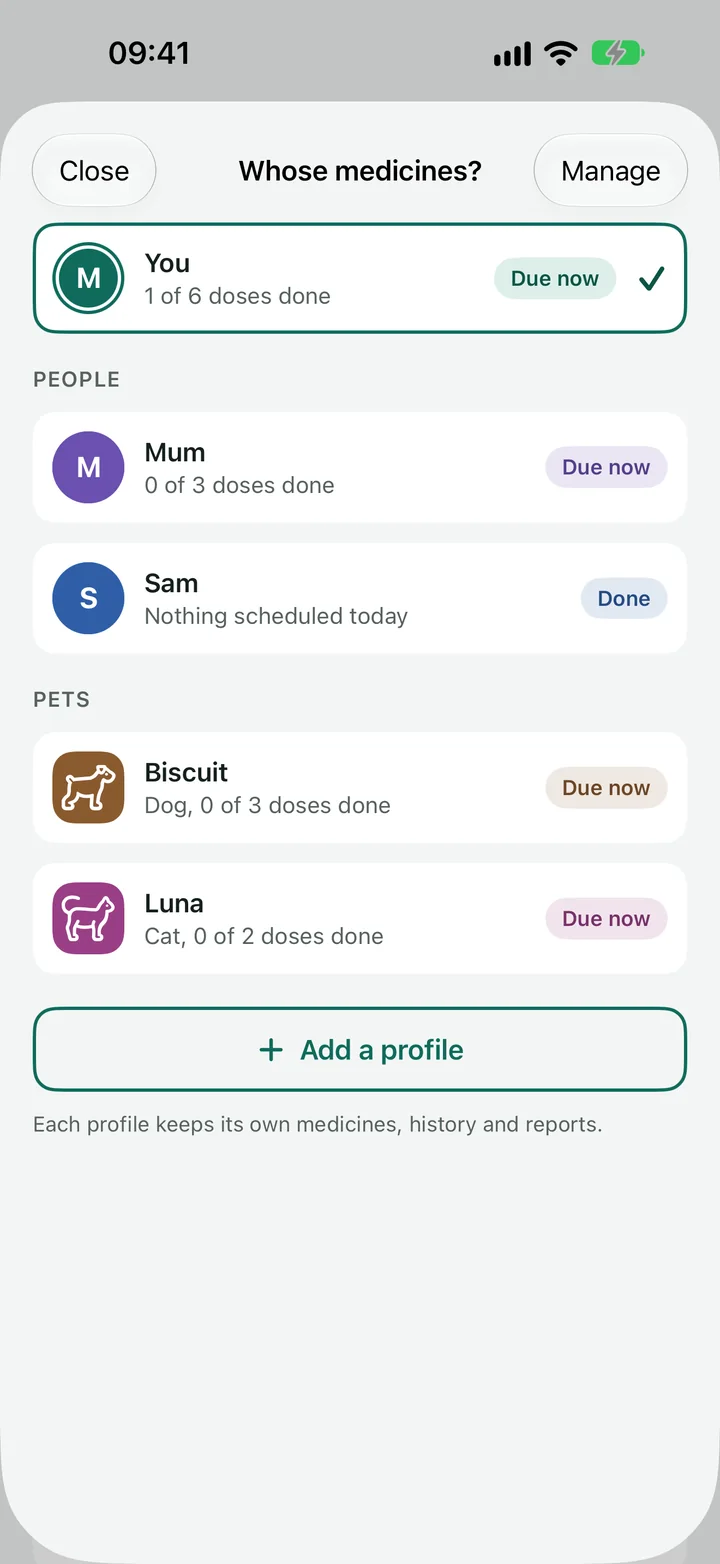
You can look after someone else's medicines, or a pet's, in the same app. Each one has its own profile, so nothing gets mixed up.
Patient ID
A patient ID belongs to a doctor (or vet), because each one knows you by a different number. Open that doctor from the Meds tab (By doctor), tap Edit and add Your patient ID with this doctor. It is printed on that doctor's reports and added to CSV exports. It is optional and stays on your phone otherwise.
What a profile keeps separate
Every profile has its own medicines, doses, history, doctors, appointments, reminders and reports. Today, Meds, Appointments and the Schedule show one profile at a time, and the app never combines two profiles on one screen, in one reminder or in one report.
Your own profile is called You. It is there from the start.
Add a profile
-
Tap your picture at the top right of Today, Meds, Appointments or the Schedule.
A sheet called Whose medicines? opens. It lists every profile and how today is going for each.
You can also go to Settings, find Profiles and tap Add a profile.
- Tap Add a profile.
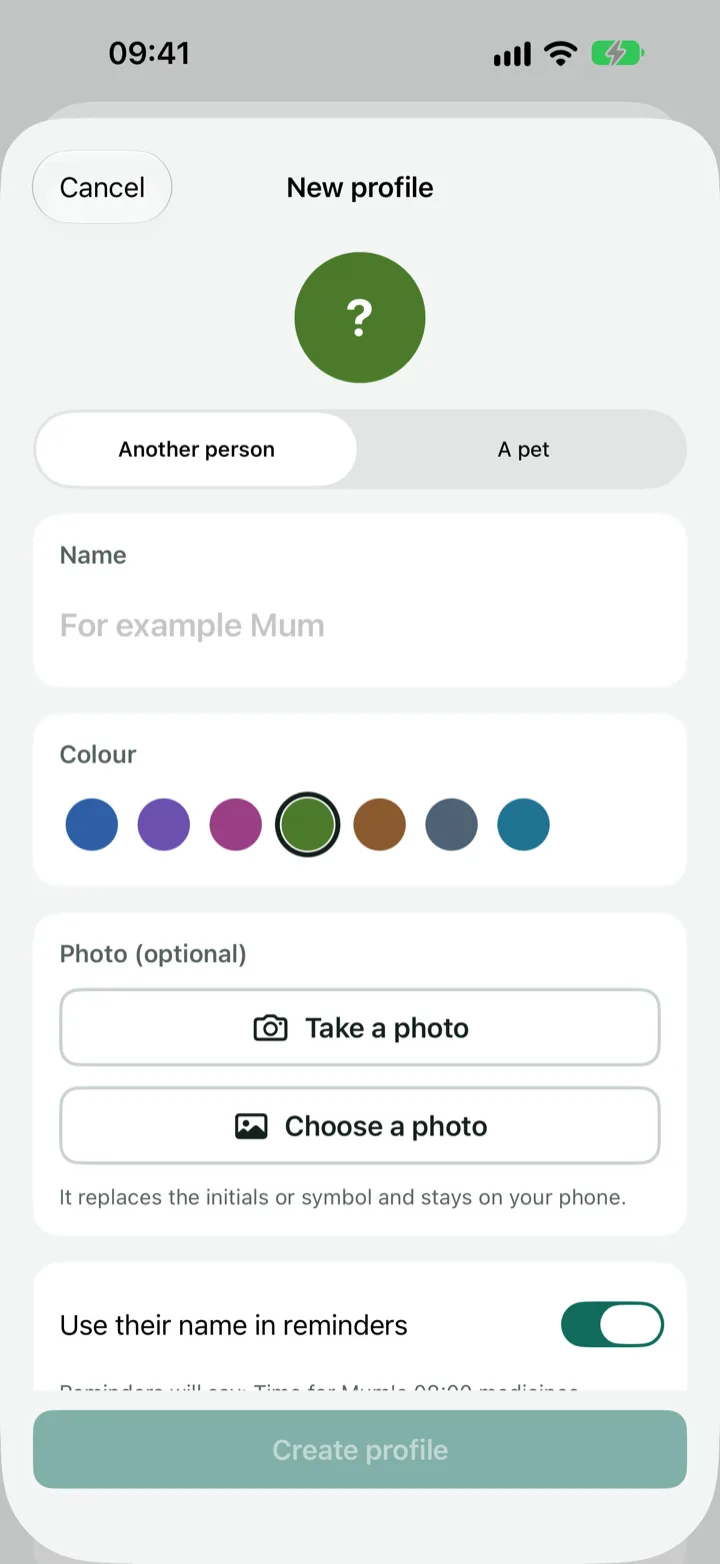
- Choose Another person or A pet.
-
Type a name.
For example Mum, or Biscuit. For a pet, also choose what kind of pet it is.
-
Pick a colour, and a photo if you like (optional).
The colour is used on that profile's medicines and on the strip at the top of the screen, so you can tell at a glance whose they are. A photo stays on your phone.
-
Decide about reminders.
With Use their name in reminders on, a reminder says whose it is, for example "Time for Biscuit's 8:00 medicines". The line under the switch shows exactly what yours will say. If you turn it off, it reads "Time for 8:00 medicines".
-
Tap Create profile.
The app switches to the new profile straight away, ready for you to add the first medicine.
Add the medicines
With the new profile showing, add medicines the same way as for yourself. See Adding a medicine. Check that the strip at the top shows the right name before you tap the +, so the medicine goes to the right profile.
For a pet, the app says Vet where it says Prescribed by for a person, and Vet report where it says Doctor report. The online side effect look-up is for people only.
Switch between profiles
- Tap the picture at the top right of Today, Meds, Appointments or the Schedule, then tap the profile you want.
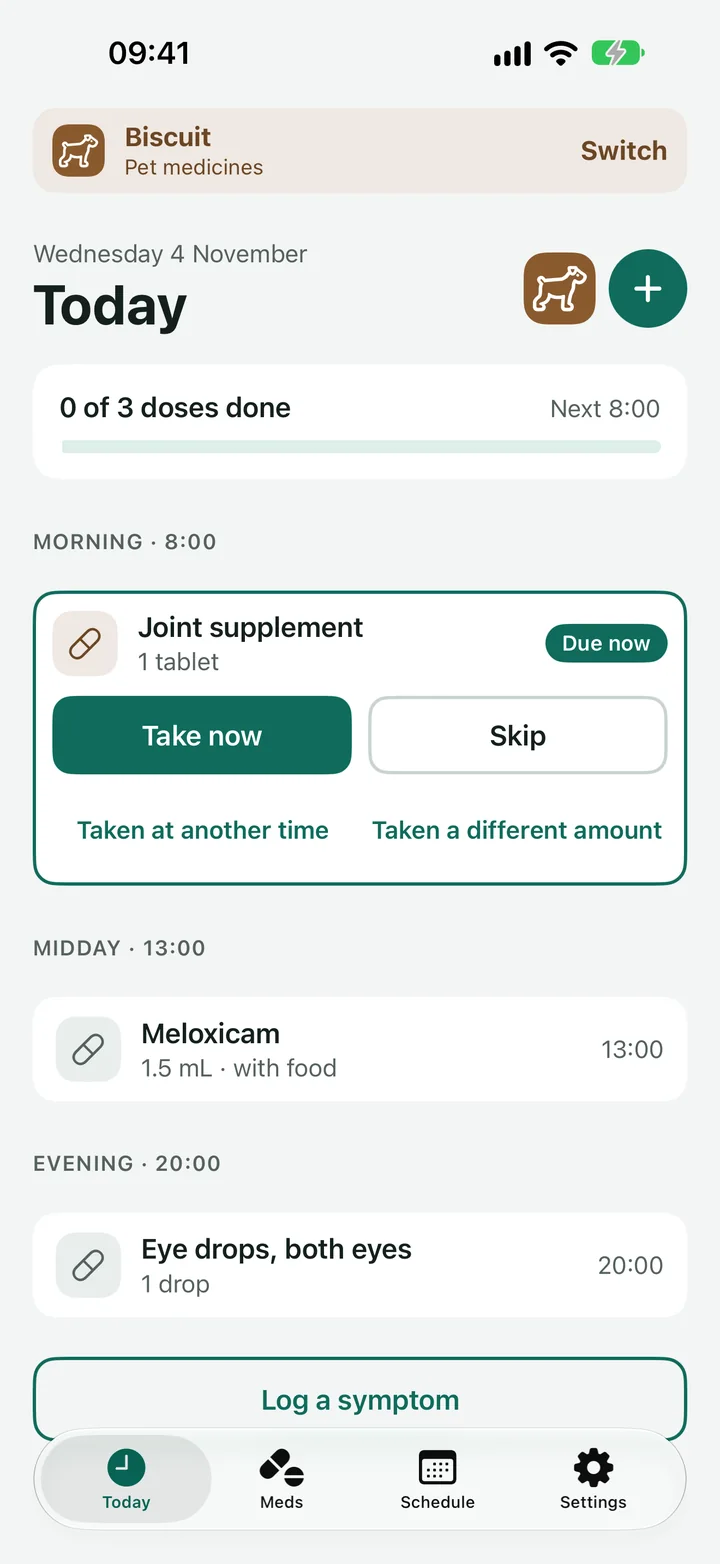
- When you are in someone else's profile, a coloured strip under the header says whose medicines are on screen ("Someone else's medicines" or "Pet medicines"). Tap Switch on the strip to change.
- When you log a dose for someone else, the bar at the bottom says so, for example "Metformin logged for Mum".
Change or remove a profile
-
Go to Settings and tap the profile under Profiles.
You can also tap Manage on the Whose medicines? sheet.
-
Change the name, colour, photo or the reminders setting, then tap Save.
Your own profile can only have its name and photo changed.
-
To put one away, tap Archive profile.
It leaves the switcher and its reminders stop. Everything you logged is kept.
Delete profile and its data is also there. It removes the profile and all its medicines, doses, refills and symptoms, and it cannot be undone. Archive is the safer choice if you might want the history.
Good to know
- Widgets and Siri work with your own profile only.
- Each profile's medicines have their own reminders.
- The My log option under Export in Settings can cover one profile, or everyone with a column saying whose each row is.
Next
Still stuck?
Write to support@dosedoodle.com and I'll help.
DoseDoodle is a reminder and record-keeping tool. It does not give medical advice. Always follow what the doctor, pharmacist or vet has said, and read the leaflet that comes with the medicine.