User guidePrivacy and app lock
Privacy and app lock
Your records stay on your iPhone, and there are two switches in Settings for keeping them from other people: hiding medicine names, and an app lock.
What stays on your phone
- There is no account and no sign-in. Your medicines, doses and notes are kept on your iPhone.
- The camera reads a medicine label on your iPhone. The photo stays on your phone, and it works without a connection.
- Your conditions are private to you. They never appear in a reminder, on your Lock Screen or on a widget.
- A report only leaves your phone when you share it, and only the medicines you ticked are in it.
- Side effect information is looked up online only when you tap Look up online, and only the medicine's name is sent.
- A place is searched for only when you tap Find place on an appointment or Look up on a doctor, and only the text you typed is sent, to Apple Maps.
- The app checks for a newer version only when you tap Check for updates in Settings. It sends DoseDoodle's App Store number and your country to Apple, and nothing about you or your medicines.
The full detail is in the privacy policy.
Hide medicine names
Reminders and widgets can be seen on your Lock Screen by anyone nearby. This switch keeps the names off them.
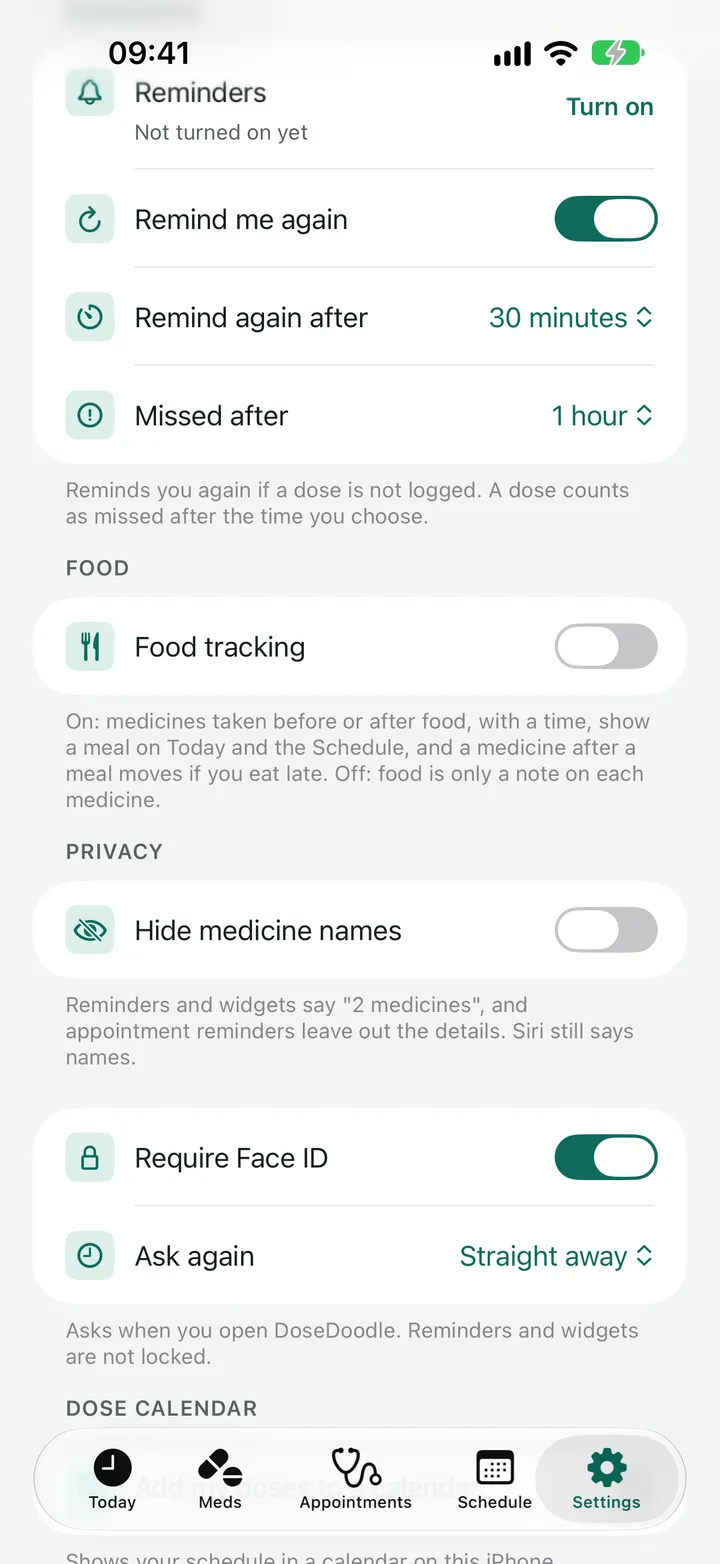
- Go to Settings and find Privacy.
-
Turn on Hide medicine names.
Reminders and widgets then say how many medicines are due and when, such as "2 medicines", without naming them.
Appointment reminders then leave out the title, the doctor and the place. They still say whose appointment it is and when.
Siri still says names. To hide those too, turn off Siri on the Lock Screen in iPhone Settings.
Lock the app
The app lock asks for Face ID, or your iPhone passcode, when you open DoseDoodle.
- Go to Settings and find Require Face ID.
-
Turn on Require Face ID.
On an iPhone with Touch ID the switch says Touch ID instead. Your iPhone asks you to confirm. The lock uses your iPhone passcode as well, so if you have not set a passcode the app asks you to set one first, in iPhone Settings.
-
Choose when it asks again.
Under Ask again, choose Straight away, After 1 minute or After 5 minutes. This is how long you can be away from the app before it locks.
When the app is locked
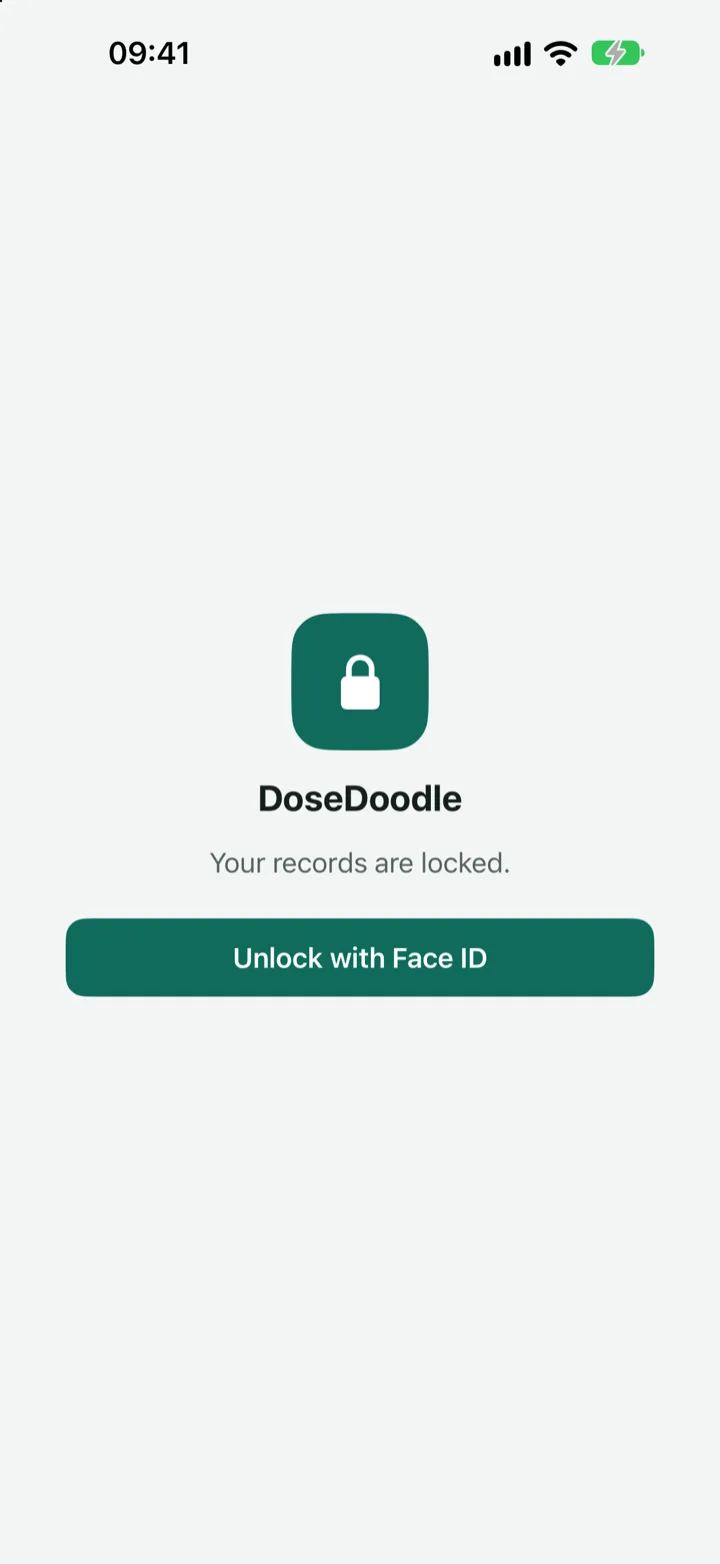
You see a screen saying "Your records are locked." Face ID asks by itself, and if you cancel it or it does not work, tap Unlock with Face ID to try again. You can use your iPhone passcode instead.
The lock also covers the app in the app switcher, so your medicines do not show there, and it covers anything open on top of the app.
What the app lock does not cover
Reminders and widgets are not locked by it. That is what Hide medicine names is for, so use both if you want your medicines kept private on a Lock Screen.
To turn the lock off, go back to App lock in Settings and turn the switch off. Your iPhone asks you to confirm first.
Next
Still stuck?
Write to support@dosedoodle.com and I'll help.
DoseDoodle is a reminder and record-keeping tool. It does not give medical advice. Always follow what the doctor, pharmacist or vet has said, and read the leaflet that comes with the medicine.