User guideWidgets, Siri and calendar
Widgets, Siri and calendar
You can see your next dose without opening the app, log doses by voice, and show your schedule in a calendar. All three are optional.
Home Screen widgets
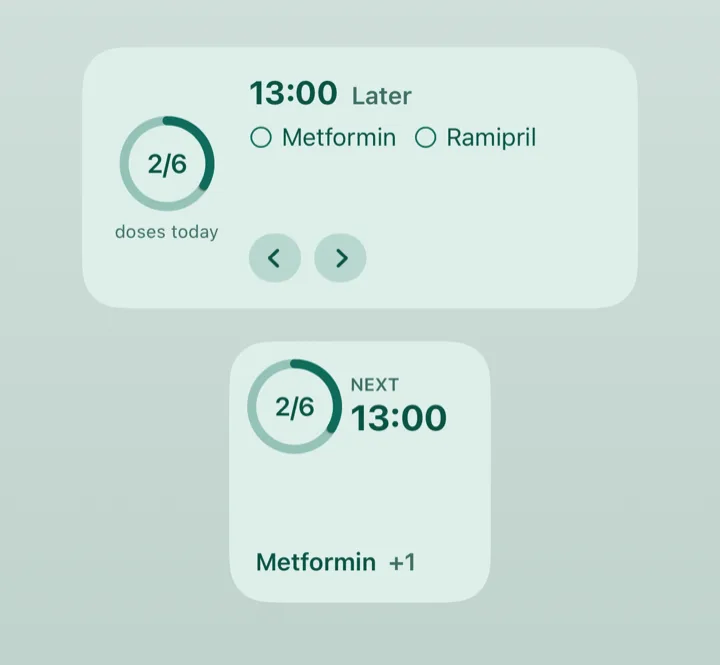
The widget shows how many doses are done today and what is next. It comes in a small and a medium size, and turns amber while a dose is due.
-
Add the widget.
Touch and hold an empty part of your Home Screen, tap the Add (+) button, search for DoseDoodle and choose Doses today. Pick a size and tap Add Widget. The exact wording can differ a little between versions of iOS.
-
Read it.
The ring shows doses done out of doses today, such as 2/6. Beside it is the time of the next dose and the medicines in it.
-
Log a dose from the widget.
When a dose is due, a Taken button appears. Tap it and the doses due are logged as taken, with no need to open the app.
-
Move between times of the day (medium only).
The two arrows show the earlier and later times. Each time says Done, Due now, Not logged or Later.
Lock Screen widget
With Food tracking on, a meal that is next (and no dose is due) is named in the widgets too, such as "Next: Lunch, 12:00". There is no button for it: open the app to log the meal.
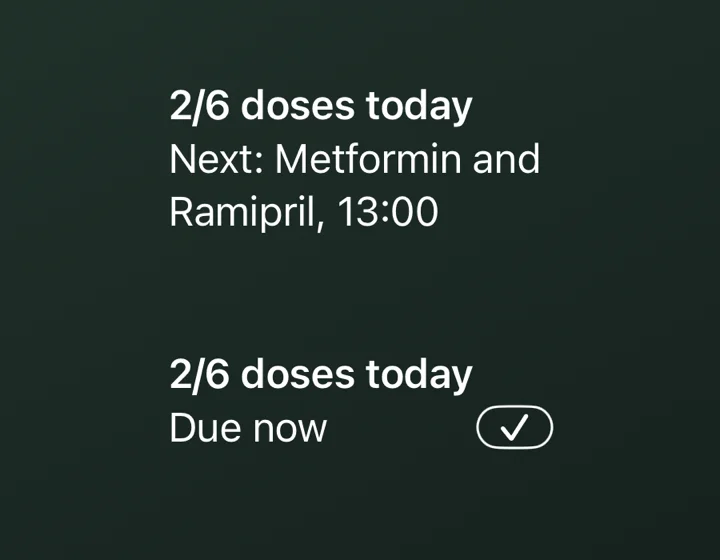
On the Lock Screen the widget is plain text. The first line says how many doses are done today, such as "2/6 doses today". The second line says what is next, such as "Next: Metformin and Ramipril, 13:00". If the medicines will not fit, the line is cut short with three dots. Tap it to open DoseDoodle.
When a dose is due, the second line says Due now and a small tick appears beside it. Tap the tick to record the dose as taken, without opening the app.
To add it, touch and hold your Lock Screen, tap Customize, choose the Lock Screen, tap the area under the time and pick Doses today. There is also a small ring with the count, and a one-line version that says "Next: 13:00".
If the widget says "Open DoseDoodle"
The widget has nothing to show yet. Open the app once and it fills in.
Keeping names private
Widgets are not locked by the app lock. To stop them showing medicine names, turn on Hide medicine names in Settings. They then say how many medicines are due, such as "2 medicines". See Privacy and app lock.
Widgets and Siri work with your own profile only, not with the profiles you keep for other people or pets. Your conditions never appear on a widget.
Siri
There is nothing to set up. Say one of these to Siri:
- "Log my medicines in DoseDoodle" or "I took my medicines in DoseDoodle". This logs the doses due now as taken, and Siri tells you which ones. If nothing is due yet, Siri says so and tells you when the next ones are.
- "What's next in DoseDoodle" or "Which medicines are next in DoseDoodle". Siri says how many doses are done today and what is due next.
If you took something at another hour today, you can use the Shortcuts app. Add Log medicines as taken and choose the hour, from 0 to 23.
Siri says medicine names even when Hide medicine names is on. If you want those hidden on a locked phone, turn off Siri on the Lock Screen in iPhone Settings.
Show your schedule in a calendar
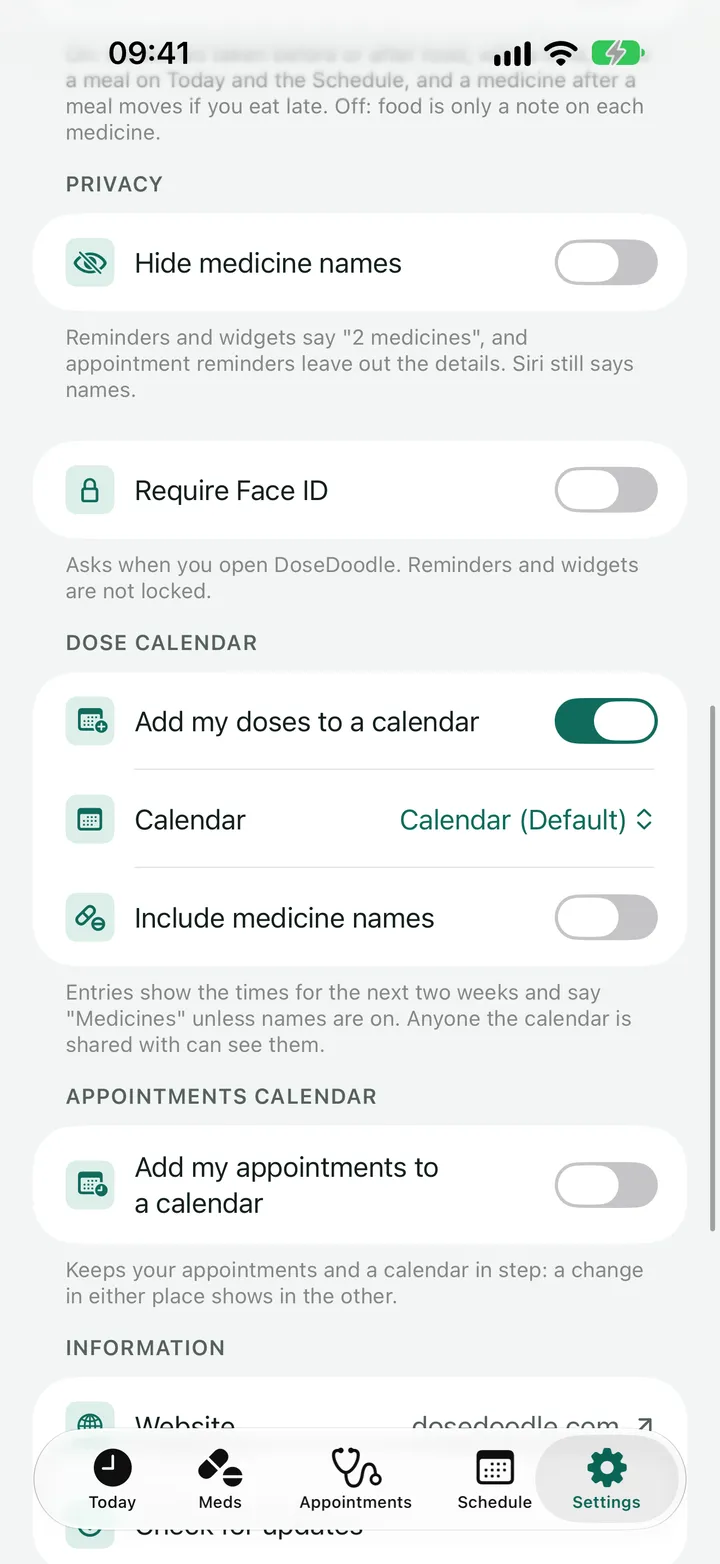
- Go to Settings and find Dose calendar.
-
Turn on Add my doses to a calendar.
Your iPhone asks whether DoseDoodle may use your calendars. If you said no earlier, the app shows Open Settings so you can change that.
-
Choose the calendar.
Pick from the calendars on your iPhone. If you choose a Google calendar, Google keeps a copy, and anyone it is shared with can see the entries.
-
Choose whether names show.
Include medicine names is off to begin with. Entries then just say "Medicines". Turn it on to see the names and doses.
Entries cover the next two weeks and are kept up to date. Your reminders still come from DoseDoodle, not from the calendar.
Appointments have a calendar of their own, with its own switch in Appointments calendar just below. That one works both ways. See Appointments.
Next
Still stuck?
Write to support@dosedoodle.com and I'll help.
DoseDoodle is a reminder and record-keeping tool. It does not give medical advice. Always follow what the doctor, pharmacist or vet has said, and read the leaflet that comes with the medicine.