User guideGetting started
Getting started
From the App Store to your first logged dose. It takes a few minutes, and there is no account to create.
Set it up
-
Install DoseDoodle from the App Store.
Open DoseDoodle on the App Store and tap Get. It is free, and it is for iPhone.
-
Open the app and tap Turn on reminders.
The first screen is titled "Reminders you can rely on". Tap Turn on reminders, then Allow when your iPhone asks. Without this, the app cannot tell you when a dose is due.
If you tapped Not now, you can turn reminders on later: in DoseDoodle open Settings, and under Reminders tap Turn on.
-
Add your first medicine.
The Today screen says "No medicines yet". Tap Add your first medicine, then point the camera at the label or type the details in. The full steps are in Adding a medicine.
-
Log a dose when it is due.
At the time you set, a reminder arrives. Open the app and tap Take now on the dose, or answer from the reminder itself without opening the app. See Reminders.
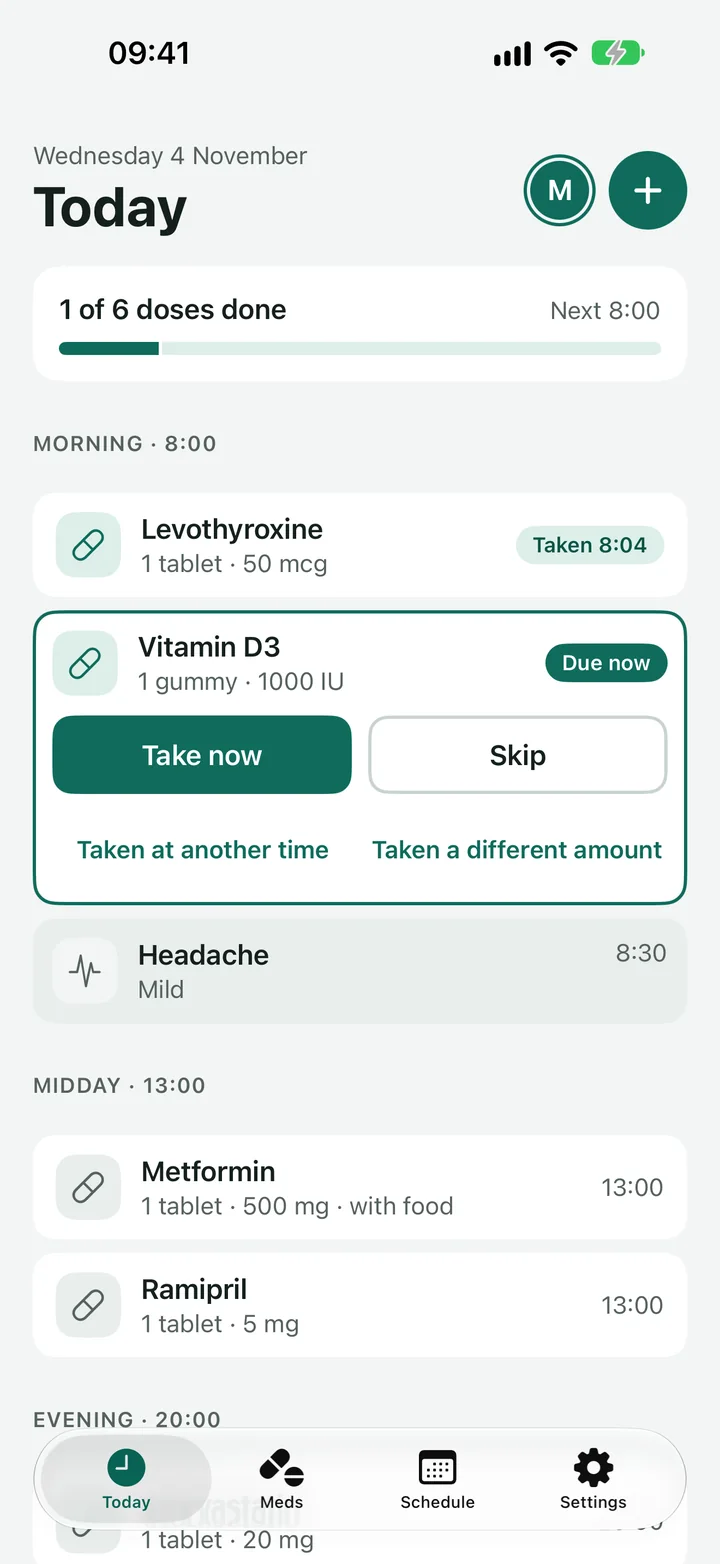
Finding your way around
Five tabs sit along the bottom of the screen.
- Today lists today's doses in time order. As well as Take now, a dose offers Taken at another time, Taken a different amount and Skip. The + at the top logs a dose that is not on the schedule.
- Meds lists your medicines. Tap one to see its dose, schedule, supply and side effects, or tap the + to add another.
- Appointments keeps doctor and vet visits, scans, blood tests and treatments, with a reminder a week and a day before. See Appointments.
- Schedule shows the week: which days everything was taken, and which doses were skipped or missed.
- Settings holds profiles for family and pets, reminder choices, the app lock, the calendars and your reports.
Good to know
- Your records stay on your iPhone. There is no account and nothing to log in to. See the privacy policy.
- If you delete the app, its records go with it, unless you have exported them first. A report or a CSV file from Settings gives you a copy.
- Looking after someone else, or a pet? Tap the profile icon at the top of Today, then Add a profile. Each profile keeps its own medicines and reminders.
Next
Still stuck?
Write to support@dosedoodle.com and I'll help.
DoseDoodle is a reminder and record-keeping tool. It does not give medical advice. Always follow what the doctor, pharmacist or vet has said, and read the leaflet that comes with the medicine.